You have access to Google Gemini for free. Your CBSE practical file requires you to document a Gemini prompting activity. Yet most students type one vague question, get a mediocre answer, and wonder why AI seems overrated. The difference between a weak AI output and a genuinely useful one is almost never the AI — it is the prompt.
What You Will Learn
- What prompt engineering is and why CBSE includes it in Classes 11 and 12
- The four components of a well-structured prompt
- The most common prompt types with examples you can use immediately
- How to document your Gemini activity properly for your practical file
What Is Prompt Engineering?
A prompt is the instruction you give a Generative AI model. Prompt engineering is the skill of structuring that instruction so the AI produces the most accurate, useful, and relevant output possible.
Think of it this way. If you walk into a library and say “give me a book,” the librarian cannot help you effectively. If you say “I need a Class 12 physics textbook covering wave optics, preferably with solved problems,” you get exactly what you need. The second request is better-engineered. Prompt engineering applies the same logic to AI models.
This skill is directly relevant to your CBSE syllabus. Class 12 Unit 7 names “Use Google Gemini to craft prompts and generate text outputs” as a required practical activity. Class 11 students working on NLP and AI tools will also encounter prompting as the primary method of interacting with language models. Prompt engineering is not a bonus topic — it is the practical skill that connects your theoretical knowledge of Generative AI to actual usage.
The Four Components of a Good Prompt
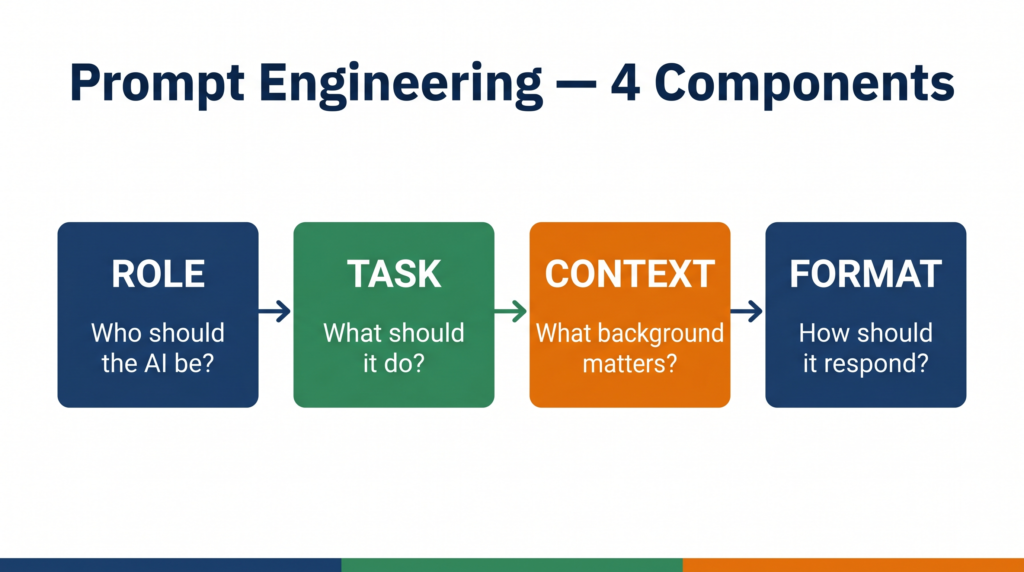
Every well-structured prompt contains some combination of these four elements. You do not always need all four — but the more relevant components you include, the better the output.
1. Role Tell the AI what persona or expertise to adopt. Example: “You are a CBSE Class 12 AI examiner.”
2. Task State clearly what you want the AI to do. Example: “Write three 2-mark exam questions on the topic of Generative AI.”
3. Context Give the AI the background it needs to tailor its response. Example: “The student is studying for the Class 12 CBSE AI subject code 843, 2025-26 syllabus.”
4. Format Specify how you want the output structured. Example: “Present each question followed immediately by its model answer in 30 words or fewer.”
A prompt using all four components: “You are a CBSE Class 12 AI examiner. Write three 2-mark exam questions on the topic of Generative AI for a student studying subject code 843 under the 2025-26 syllabus. Present each question followed immediately by its model answer in 30 words or fewer.”
Compare that to: “Give me AI questions.”
Same tool. Completely different output quality. That gap is prompt engineering.
Types of Prompts
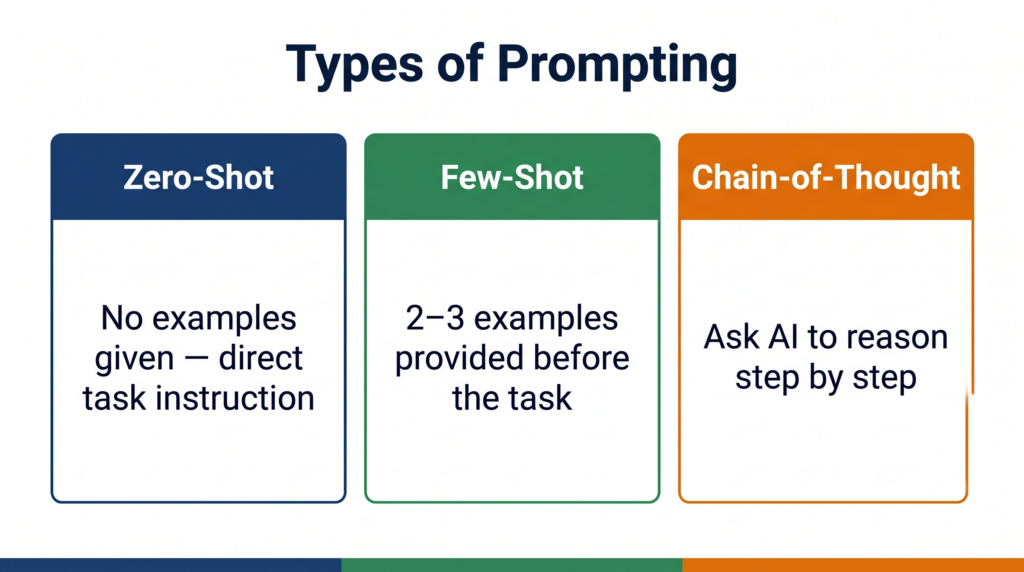
CBSE expects you to know that prompts can be structured in different ways depending on what you are trying to achieve. These are the main types:
Zero-shot prompting You give the AI a task with no examples. You trust the model’s training to handle it. Example: “Explain what a confusion matrix is in simple terms.” Best for: straightforward definitions, summaries, explanations.
One-shot prompting You give the AI one example of what you want, then ask it to do the same for something else. Example: “Here is a 2-mark answer on supervised learning: [example]. Now write a 2-mark answer on unsupervised learning in the same style.” Best for: matching a specific format or tone you have already defined.
Few-shot prompting You give the AI two or three examples before making your request. Example: “Here are three examples of CBSE-style exam questions with model answers: [examples]. Now generate five more questions on Neural Networks in the same style.” Best for: generating content that must match a precise pattern — especially useful for viva prep and exam question banks.
Chain-of-thought prompting You ask the AI to reason through a problem step by step before giving its final answer. Example: “Think through this step by step: A model correctly identifies 80 spam emails and incorrectly flags 20 legitimate emails as spam. It misses 10 spam emails. Calculate precision and recall.” Best for: calculation problems, logic questions, and any task where showing the reasoning matters.
Common Mistakes in Prompting
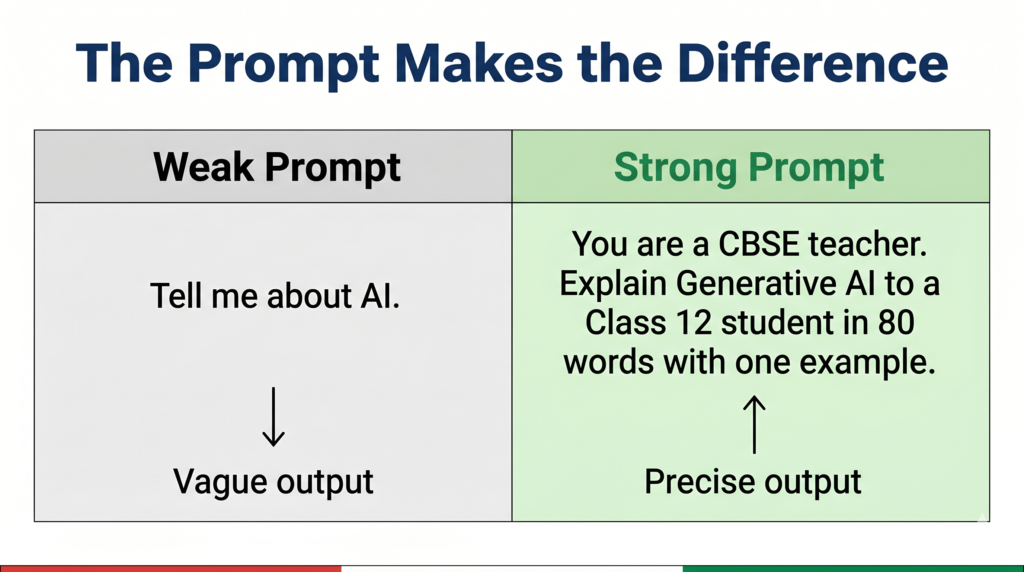
Vague task description Weak: “Tell me about AI.” Better: “Explain the difference between Generative AI and Discriminative AI in 100 words for a Class 12 CBSE student.”
Vague prompts produce generic outputs. Specific prompts produce usable outputs.
No format specified Weak: “Give me information about LLMs.” Better: “Give me information about LLMs as a numbered list of 5 key points, each under 20 words.”
Without format guidance, the AI decides how to structure its response — which may not match what your practical file or assignment needs.
Overloading one prompt Weak: “Explain Generative AI, list its applications, compare it with Discriminative AI, give ethical concerns, and write three exam questions.” Better: Break this into five separate prompts, each focused on one task.
A single overloaded prompt forces the AI to compromise on depth across all tasks. Separate prompts allow it to go deep on each one.
Not iterating Most students type one prompt, accept the output, and move on. Professional prompt engineers treat the first output as a draft. They follow up with: “Make this more concise,” or “Add an India-specific example,” or “Rewrite this for a Class 12 student who has never studied AI before.”
Try It Yourself — CBSE Activity
This activity directly fulfils the CBSE Class 12 Unit 7 practical requirement: “Use Google Gemini to craft prompts and generate text outputs.”
Steps:
- Go to gemini.google.com and sign in with your Google account.
- Type a zero-shot prompt on any topic from your Class 12 AI syllabus. Example: “Explain what a Large Language Model is in simple terms.” Note the output.
- Now rewrite the same prompt using all four components — Role, Task, Context, Format. Example: “You are a CBSE AI teacher. Explain what a Large Language Model is to a Class 12 student preparing for the theory exam. Keep your answer to 80 words and use one real-world example.” Note the output.
- Compare the two outputs. Write two observations about how the structured prompt changed the quality, length, or relevance of the response.
- Try one follow-up prompt on the same topic to refine the output further.
What to document in your practical file:
- Original zero-shot prompt and its output
- Refined structured prompt and its output
- Your two observations comparing them
- Your follow-up prompt and the final output
This single activity, documented properly, demonstrates understanding of both Generative AI (Unit 7) and prompt engineering — two examinable areas in one practical entry.
Quick Revision Box
Before your viva, confirm you can answer these without looking:
☑ Define prompt engineering in one sentence (the skill of structuring instructions to get accurate, relevant AI outputs)
☑ Name the four components of a good prompt (Role, Task, Context, Format)
☑ Explain zero-shot vs few-shot prompting (zero-shot = no examples; few-shot = 2-3 examples provided before the task)
☑ State two common prompting mistakes with corrections (vague task → be specific; no format → specify structure)
☑ Name the CBSE practical activity this connects to (Google Gemini prompting — Class 12 Unit 7)
Practice Questions
2-mark question: What is prompt engineering? Why is it important in the context of Generative AI?
Model answer: Prompt engineering is the skill of designing clear, structured instructions for a Generative AI model to produce accurate and relevant outputs. It is important because the quality of an AI model’s output depends heavily on how the instruction is framed — a vague prompt produces a generic response while a well-structured prompt produces a precise, useful one.
Examiner note: Students who define prompt engineering without explaining why it matters score 1/2. The second mark requires connecting it to output quality. A concrete example in your answer — even one sentence — typically secures both marks.
MCQ: A student provides a Generative AI model with two example question-answer pairs and then asks it to generate a third in the same style. Which type of prompting is this?
(a) Zero-shot prompting (b) Chain-of-thought prompting (c) Few-shot prompting (d) Role prompting
Answer: (c) Few-shot prompting
Examiner note: Option (a) is the most common wrong answer — students who remember “zero-shot” as a term sometimes select it without reading the question carefully. The presence of two examples before the task is the defining feature of few-shot prompting.
FAQ
Q1. Is prompt engineering in the CBSE Class 12 syllabus explicitly, or is this extra knowledge?
It is embedded rather than explicitly named as a standalone topic. The CBSE Unit 7 practical activity — “Use Google Gemini to craft prompts and generate text outputs” — requires you to apply prompting skills. Understanding prompt types and structure makes you significantly better at that activity and gives you the vocabulary to explain what you did in your viva. Examiners who ask “how did you get this output from Gemini?” expect an answer that goes beyond “I just typed a question.”
Q2. Do I need to know Python to use prompt engineering?
No. The core skill of prompt engineering — structuring instructions in natural language — requires no coding at all. The CBSE practical activity uses Google Gemini directly through its web interface. Python comes in only for the Advanced Learners activity (Gemini API chatbot) which is not evaluated in theory or practical exams.
Q3. How is prompt engineering different from just searching on Google?
A Google search retrieves existing pages that contain relevant information. A Generative AI prompt instructs a model to create a new response tailored specifically to your question, in the format you specify, at the depth you request. The output does not exist until you prompt for it. That is the fundamental difference — retrieval versus generation.
Every tool in your Class 12 AI practical — Gemini, Canva, Animaker — is controlled through prompts. The student who understands how to write a good prompt does not just complete the activity. They understand why the output came out the way it did — and that understanding is exactly what your viva examiner is testing.